You imaged a plate on the Opera Phenix. 384 wells, nine fields each, eight channels. Harmony exported it as 27,648 TIFF files and one Index.idx.xml. Now you want to look at well C/7.
Usually that means a seat at the Harmony PC, or a conversion job that rewrites the whole plate before you see a single cell.
Or you paste one address into your browser.
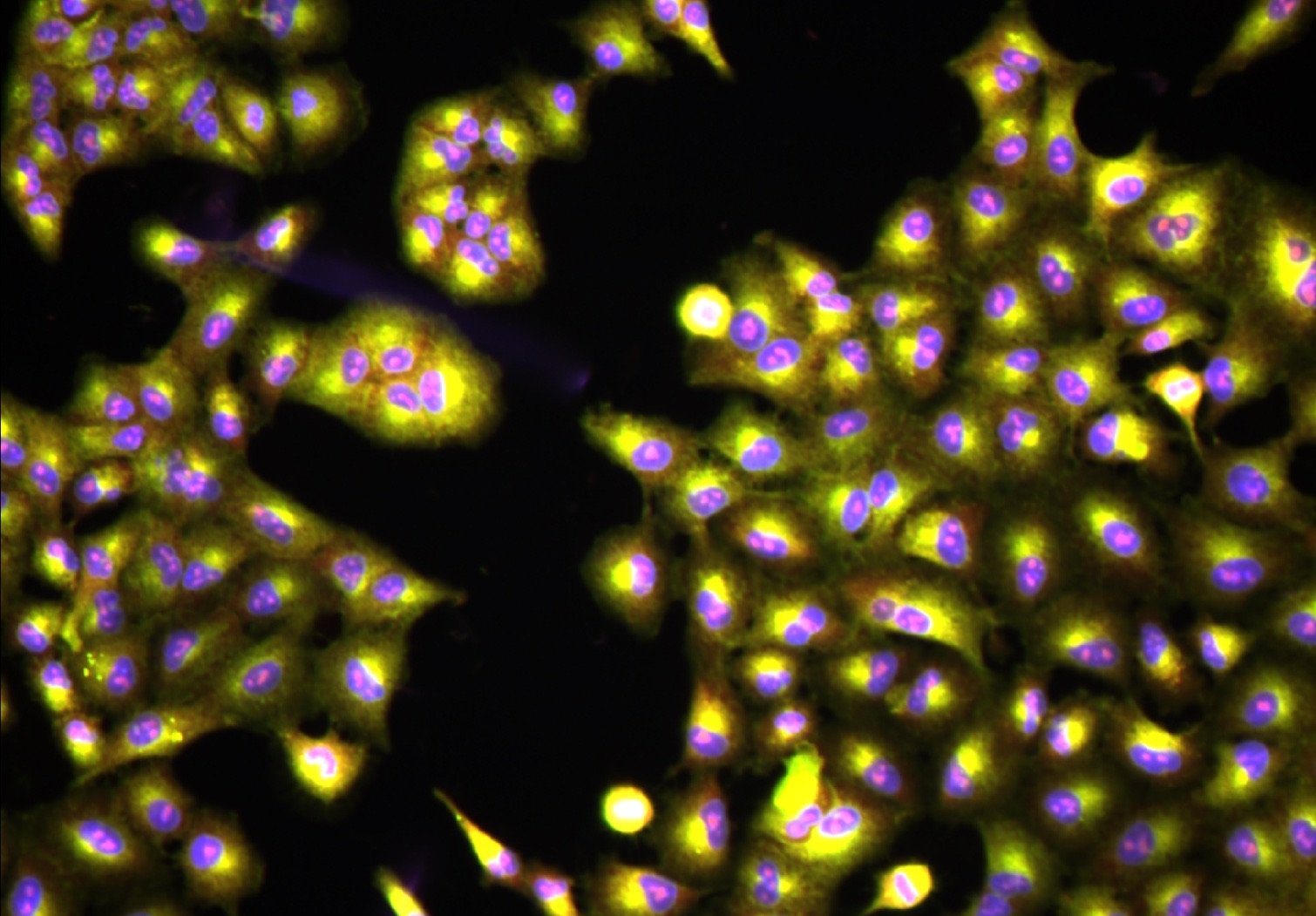
The Find Nuclei Viewer now opens Harmony exports from Opera Phenix systems (Revvity, formerly PerkinElmer) straight from their index. The TIFFs stay where they are: in a bucket, on a server, or on your disk. Free to use, nothing to install, nothing uploaded.
Try it on a real plate
The Cell Painting Gallery [1] holds public Cell Painting images on AWS. One of its plates is BR00116991, a 384-well plate from the JUMP pilot dataset CPJUMP1 [2], imaged on an Opera Phenix.
Open the Opera Phenix plates of the JUMP Cell Painting datasets right in your browser: every well, every field, every channel, straight from the bucket. No download, no code.
That link is just the plate’s S3 address, handed to the viewer:
s3://cellpainting-gallery/cpg0000-jump-pilot/source_4/images/2020_11_04_CPJUMP1/images/BR00116991__2020-11-05T19_51_35-Measurement1/The plate is ready in about two seconds. The first field appears as soon as its images arrive.
What you get
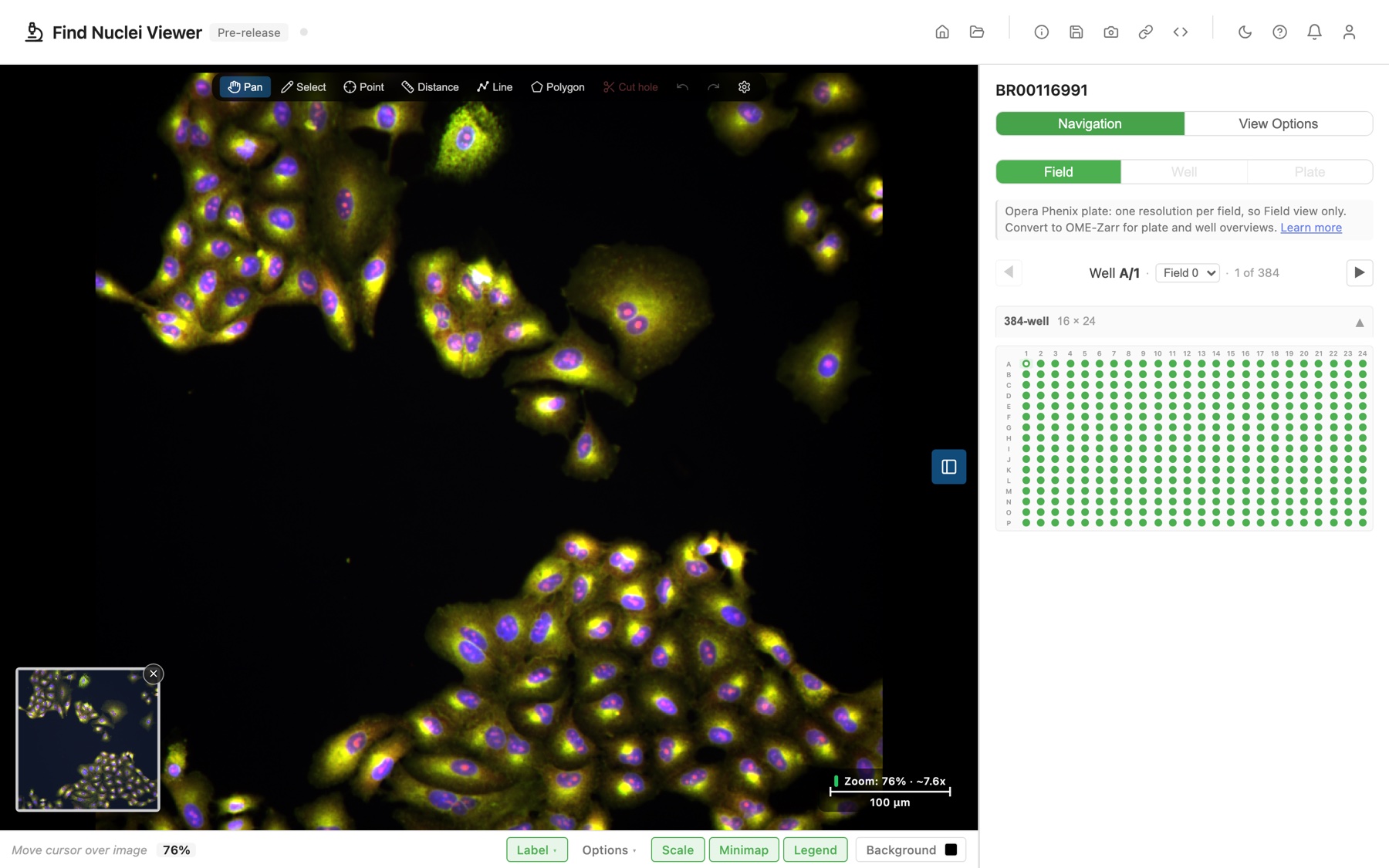
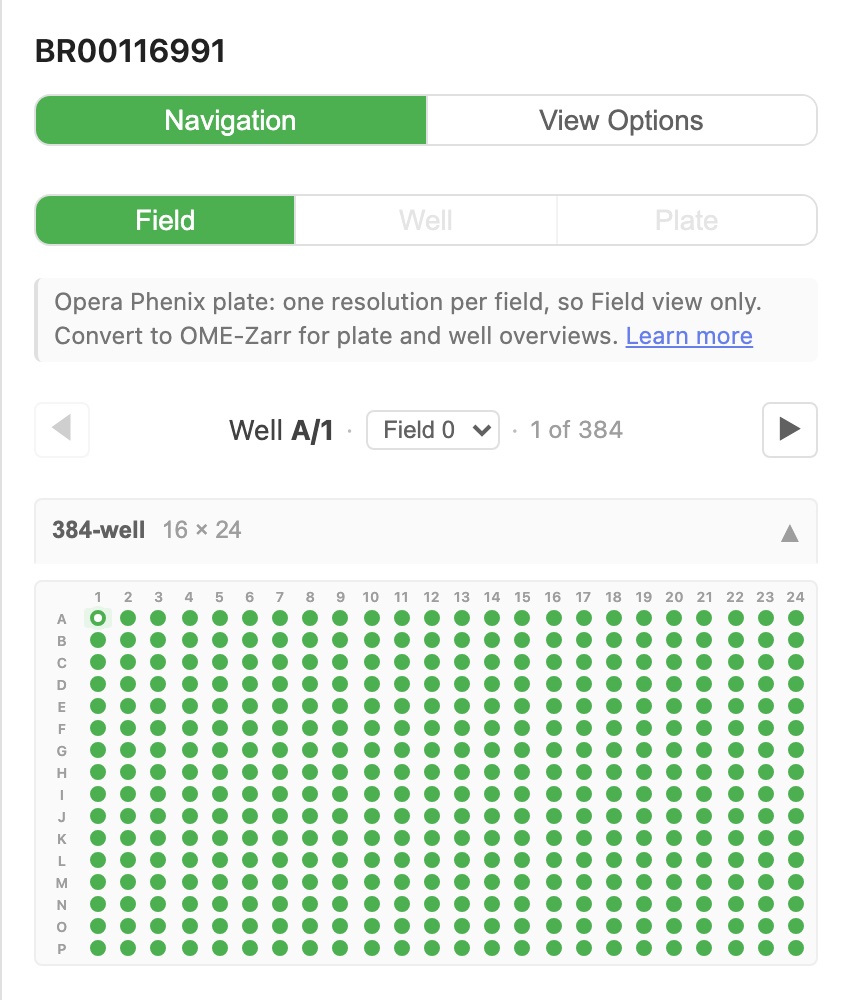
- The whole plate. All 384 wells and every field. Step through them with the well navigator, or jump to any well in the picker, as in any HCS plate.
- Your channel names. They come from the Harmony index: Alexa 647, HOECHST 33342, Brightfield, and the rest. Each channel gets a colour from its emission wavelength. Brightfield starts off, so the first view shows the fluorescence.
- Real units. The scale bar reads the pixel size from the index.
- Share links. Copy the link, and a colleague opens the same well, field, and channels. No Harmony seat needed on their side either.
Three ways to open a plate
- From a URL. Paste the measurement folder, its
Images/folder, or theIndex.idx.xmladdress.https://ands3://both work. - From your disk. Open the measurement folder in Chrome or Edge. The files never leave your computer.
- From a plate manifest. “Save plate manifest” writes a small JSON file that maps every image on the plate. Put it next to the images, and the plate opens without its index. The format is published as a JSON Schema.
The Opera Phenix plates guide walks through each one.
Limitations
Harmony writes each field as plain TIFFs at one resolution. OME-Zarr stores a resolution pyramid, cut into small tiles. That difference sets the trade-offs:
- No plate or well overview. An overview of 384 wells would mean loading every image on the plate. So these plates open one field at a time, and the Plate and Well buttons say why.
- A field loads in full. Every channel image arrives whole, about 2.5 MB, even when you only look at a corner. On a slow connection, each new field takes a few seconds.
Need plate overviews, or fast browsing on a slow link? Convert the plate to OME-Zarr. For checking a plate, the TIFFs as they are work fine.
What comes next
Looking at the plate is step one. Step two is analysis: segment the cells, measure them, and see the results on top of the same images, as in our HCS analytics post.
Have Opera Phenix plates of your own? Paste one in. If one does not open, send us a note at info@find-nuclei.com. We want to see it.
Which HCS format should we add next?
Opera Phenix is the first instrument format the viewer opens without conversion. It will not be the last. Supported Formats lists what opens today. Which one would save you the most time? Tell us at info@find-nuclei.com.
TL;DR
- Find Nuclei Viewer opens Opera Phenix plates exported by Harmony:
Index.idx.xmlplus one TIFF per field and channel. - Open from a URL (
https://ors3://), from your disk in Chrome or Edge, or from a saved plate manifest. - No Harmony, no conversion, no upload. Free to use.
- One field at a time: no plate overview. Convert to OME-Zarr when you need overviews.
- Try it on the public JUMP plate BR00116991 from the Cell Painting Gallery.
References
[1] Weisbart E, Kumar A, Arevalo J, Carpenter AE, Cimini BA, Singh S. Cell Painting Gallery: an open resource for image-based profiling. Nature Methods 21, 1775-1777 (2024). doi.org/10.1038/s41592-024-02399-z
[2] Chandrasekaran SN, Cimini BA, Goodale A, et al. Three million images and morphological profiles of cells treated with matched chemical and genetic perturbations. Nature Methods 21, 1114-1121 (2024). doi.org/10.1038/s41592-024-02241-6